
Manual workflows slowing your team down?
Tell us the repetitive task. We’ll map the automation path.
Custom Browser Bots & Business Automations
Stop paying people to click, copy, upload, check, and repeat
Your team is spending hours every day on work that software should handle. We design, build, and deploy automated workflows that connect your apps, eliminate busywork, and let your team focus on what actually matters.
Where manual work starts costing money
Most business automation problems are not clean API problems. They happen inside browsers, admin portals, supplier dashboards, inventory tools, finance reports, spreadsheets, and repeated form workflows. Teams waste hours logging in, clicking around, copying data, uploading files, checking statuses, exporting reports, and updating records manually.
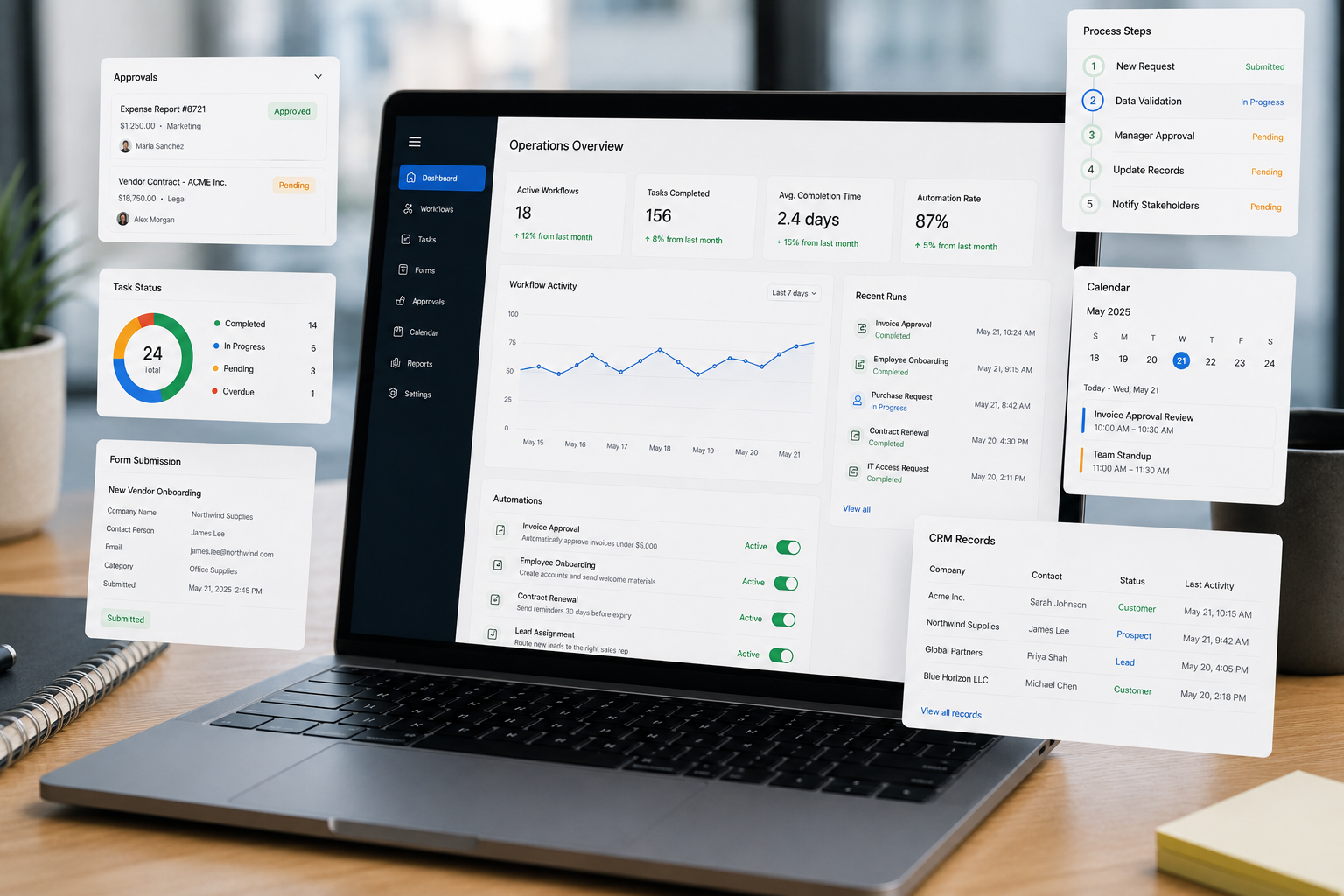
Automation systems for repetitive work your team should not be doing manually
Ar Orzaen, we build custom browser bots, Python scripts, and business automation systems for repetitive operations that your team should not be doing by hand.
If the task happens inside a browser, we can automate the clicks, forms, downloads, uploads, checks, and confirmations. If it needs data, we can scrape, clean, validate, and route it. If it needs visibility, we can connect it to sheets, dashboards, alerts, or internal reporting systems.
Client Feedback
“Wonderful to work with, knowledgable and kind! Great work!”
Karah S. / CRM Operations Manager, MarketSurge User
Automation ROI Calculator
See what manual work costs — and what automation can recover
Manual Cost
/ week$2,500
50 manual hours
Recoverable
70%$1,750
35 hours recovered
Still Manual
after estimate$750
15 hours left for review or exceptions
Estimate uses a conservative 70% automation rate. Real recovery depends on workflow complexity, exceptions, approvals, and human review needs.
Automation Barriers We Remove
The workflow problems that slow teams down
We replace repetitive manual steps with automation systems that run with logs, retries, alerts, and clean handoff.
Operations
Teams check the same portals every morning
Our Solution
Bots check status and report changes
Admin Work
Staff repeat forms, uploads, and downloads
Our Solution
Automation completes steps and logs results
Finance
Reports wait on copied numbers
Our Solution
Scripts collect and validate records
Inventory
Stock updates stay one manual check behind
Our Solution
Scheduled bots keep records current
Management
Failures surface only after complaints
Our Solution
Logs and alerts flag issues early
Enterprise
No APIs means staff become the bridge
Our Solution
Browser automation connects locked systems
Customer Support
Agents repeat lookups for every ticket
Our Solution
Automations prepare updates and handoffs
Data Quality
Copy-paste errors break reports
Our Solution
Validation catches bad data early
Operations
Teams check the same portals every morning
Our Solution
Bots check status and report changes
Admin Work
Staff repeat forms, uploads, and downloads
Our Solution
Automation completes steps and logs results
Finance
Reports wait on copied numbers
Our Solution
Scripts collect and validate records
Inventory
Stock updates stay one manual check behind
Our Solution
Scheduled bots keep records current
Management
Failures surface only after complaints
Our Solution
Logs and alerts flag issues early
Enterprise
No APIs means staff become the bridge
Our Solution
Browser automation connects locked systems
Customer Support
Agents repeat lookups for every ticket
Our Solution
Automations prepare updates and handoffs
Data Quality
Copy-paste errors break reports
Our Solution
Validation catches bad data early
Services
Operations we automate for teams stuck in repetitive work
Browser Bots for Daily Operations
Custom bots that log into portals, navigate dashboards, click through workflows, download reports, upload files, check statuses, capture confirmations, and complete repetitive browser-based tasks.
Business Automation Scripts
Python scripts, scheduled jobs, browser workers, and backend automation services that run repeatable business tasks with logs, retries, alerts, and clean output.
Form Submission & Portal Automation
Automate repeated form filling, application submissions, document uploads, field validation, confirmation capture, and status tracking across websites and internal portals.
Inventory, Orders & Operations Automation
Automate stock checks, order updates, supplier portals, product records, fulfillment handoffs, Cin7-style workflows, Shopify or WooCommerce tasks, and operational exception alerts.
Finance, Reports & Dashboard Automation
Automate daily finance summaries, KPI reports, payment exports, reconciliation checks, spreadsheet updates, dashboard refreshes, and executive reporting workflows.
Scraping-Backed Business Workflows
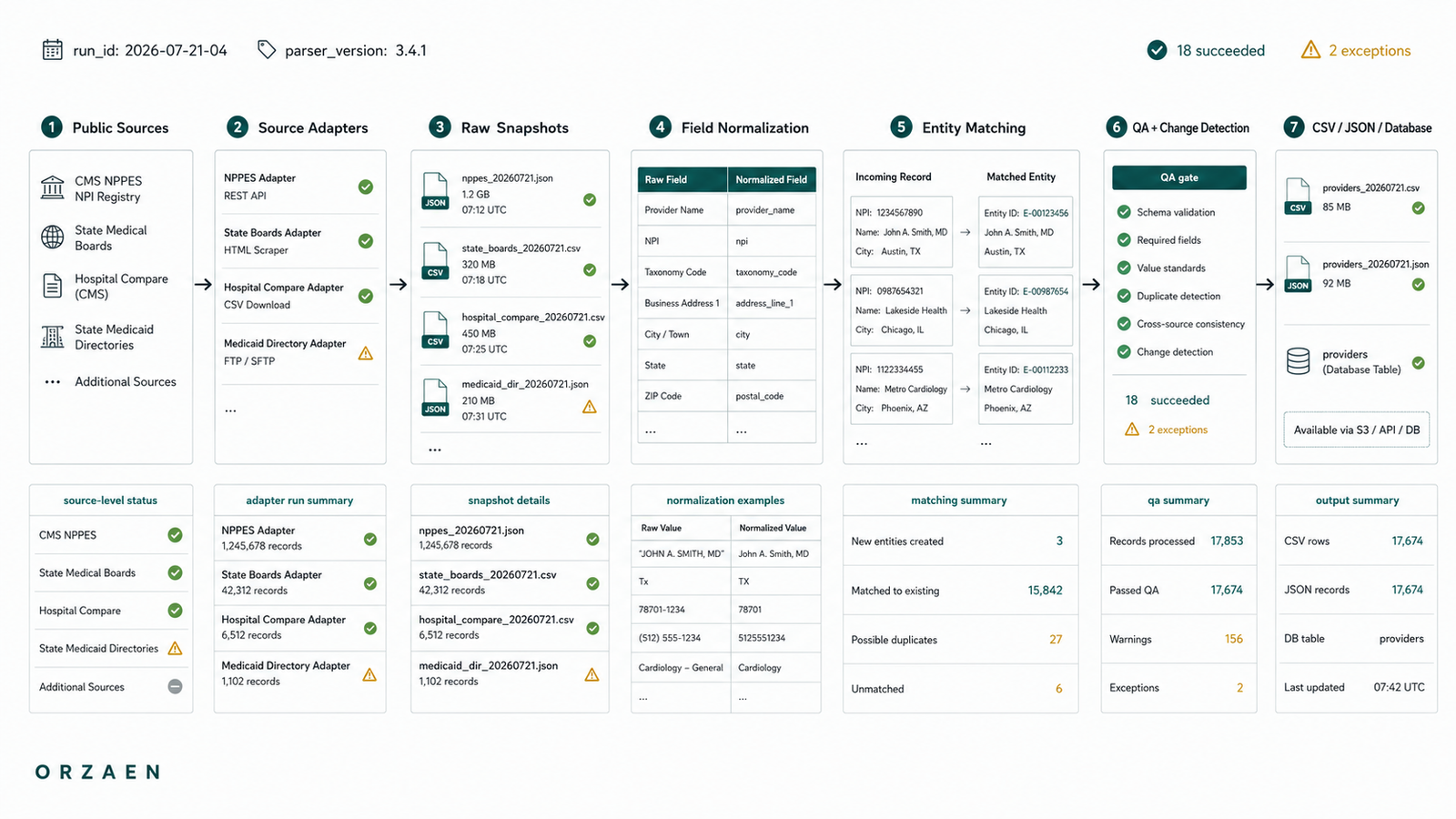
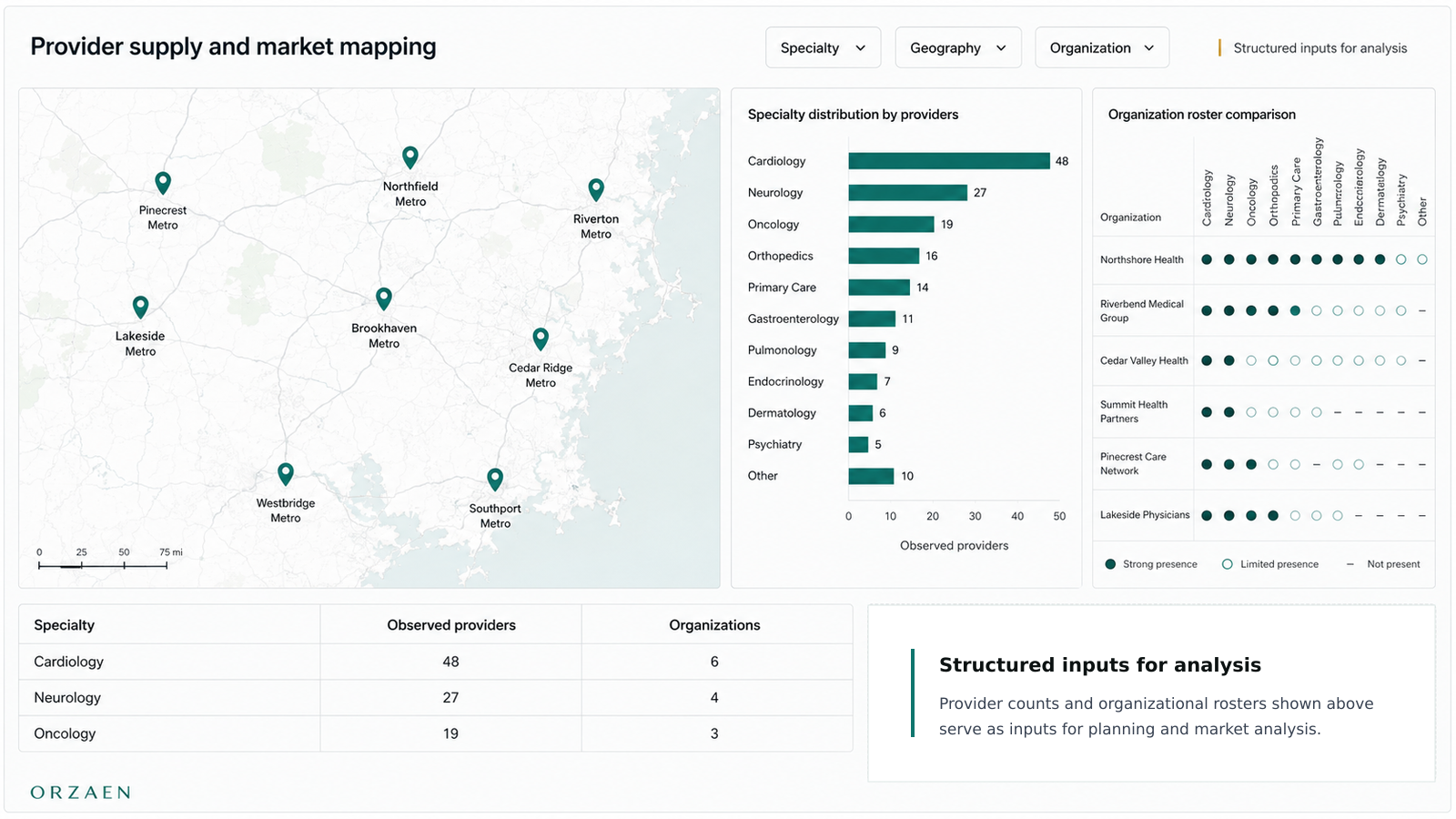
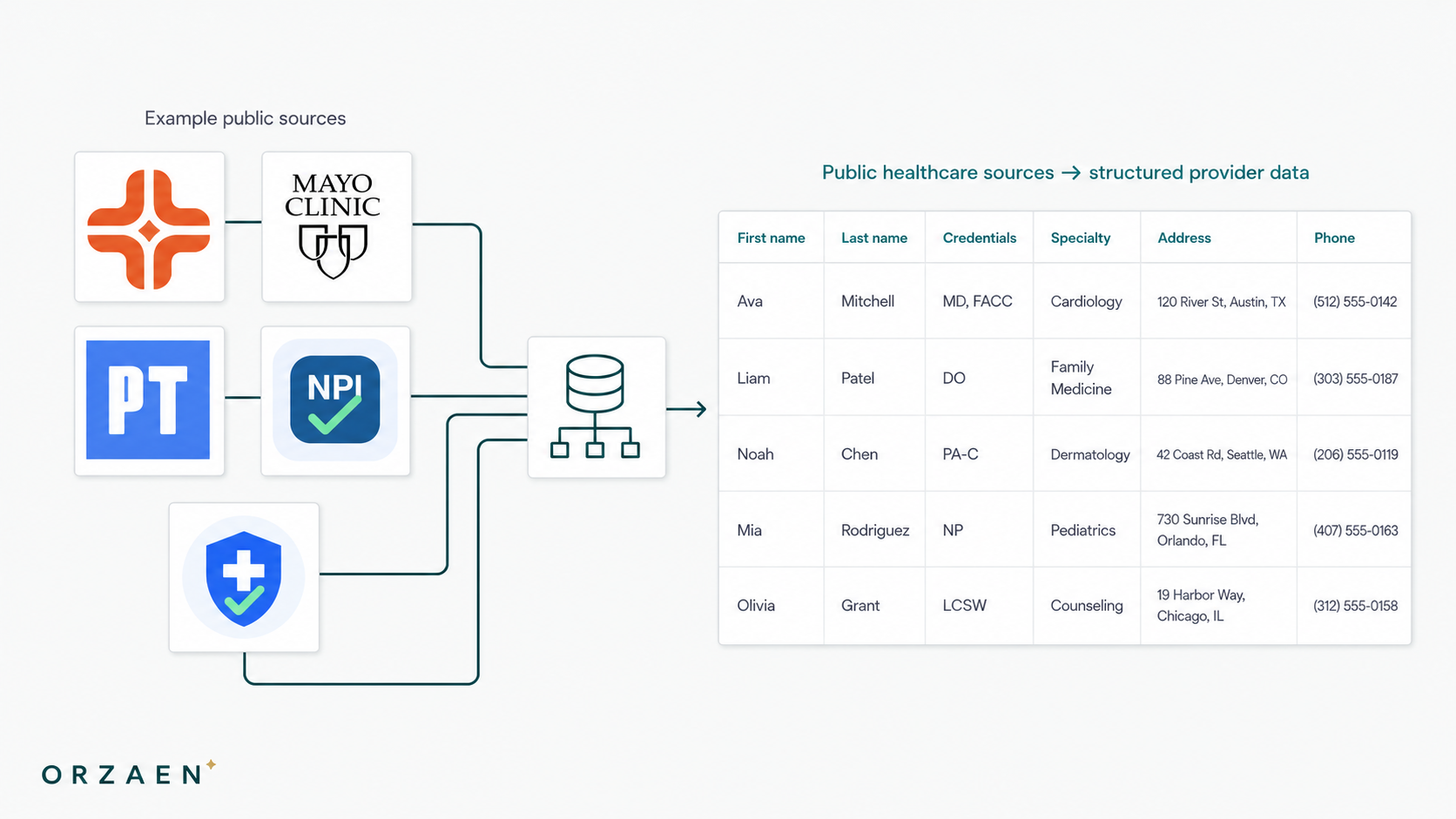
Build bots that collect data from websites, portals, marketplaces, supplier systems, public sources, or dashboards, then clean, validate, and deliver it where your business needs it.
Use Cases
Manual work we turn into reliable automation
Automation Results
Proof from real automation work
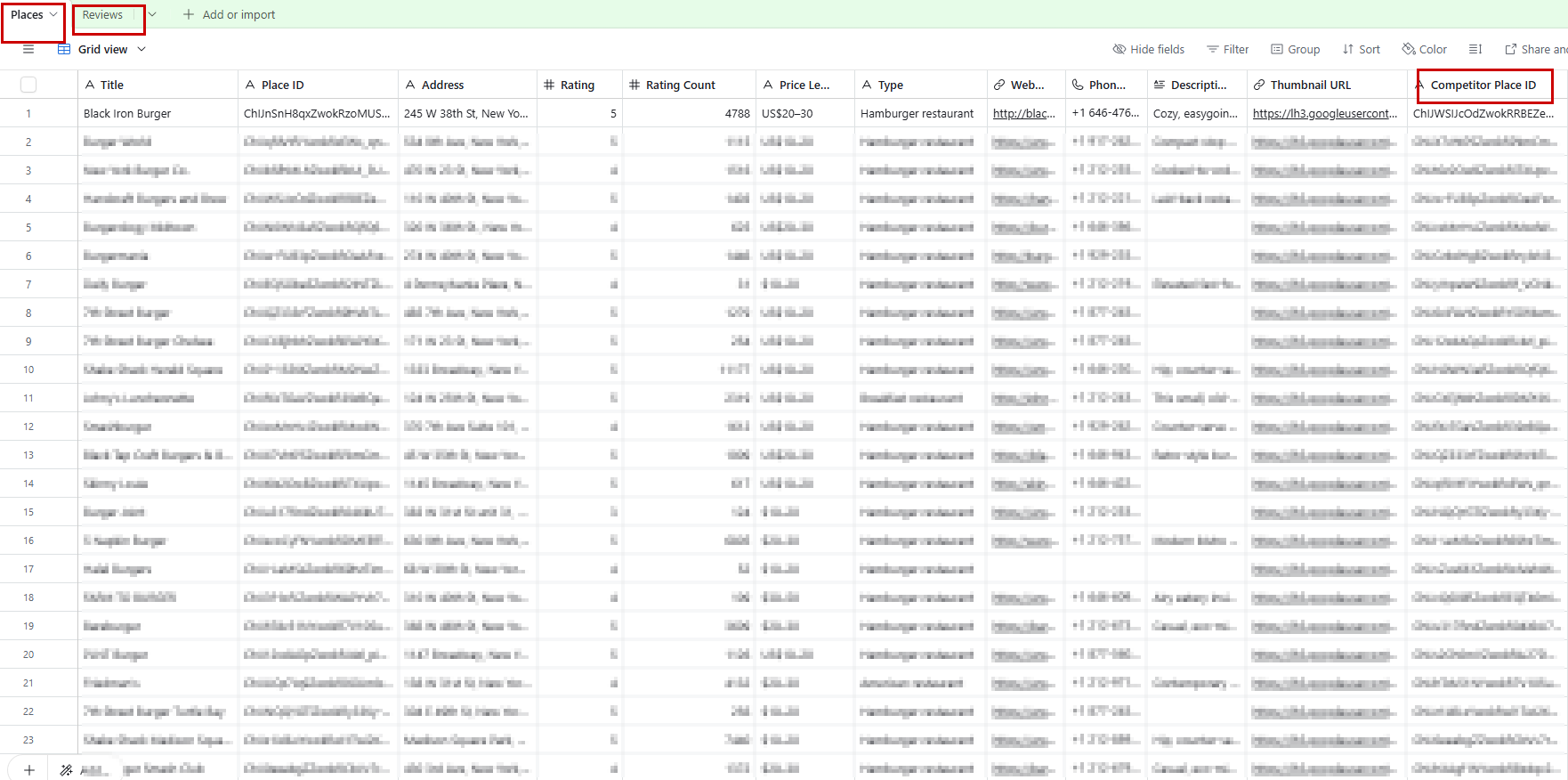
Where Automation Runs
Portals, browsers, forms, dashboards, and business tools
Source Registry
Browser Portals
Approach
We automate login-based workflows where people normally open a browser, click through pages, search records, download files, upload documents, or update statuses.
Output
Completed browser task with logs, screenshots, exported files, updated records, and exception alerts.
Examples
Supplier dashboards, admin panels, government portals, inventory portals, internal browser tools.
Automation Stack
Built with tools that keep business automation reliable
We use browser automation, backend workers, scheduling, validation, alerts, and delivery tools based on how your workflow actually runs.
01
Browser Automation
Tools for login-based portals, admin panels, dashboards, clicks, searches, uploads, downloads, and status updates.
 Python
 Playwright
 Selenium
 Browser Bots
 Automation Scripts
 Cron Jobs
02
Forms & Document Flow
Systems for repeated form filling, file uploads, validation, confirmation capture, and submission tracking.
 Google FormsPythonPlaywright
 OCRAutomation Scripts
03
Inventory & Orders
Automation for supplier checks, stock updates, product records, order syncing, and fulfillment workflows.
 Shopify
 WooCommerce
 Cin7
Cin7 Google Sheets
 Airtable
 Webhooks
04
Finance & Reporting
Recurring finance exports, payment reports, reconciliation checks, dashboard refreshes, and daily summaries.
 QuickBooks
 Stripe
 Looker StudioGoogle Sheets
 Gmail
Gmail05
Backend Workflow Layer
Scheduled workers, webhook flows, API services, database updates, and self-hosted automation systems.
 FastAPI
 Docker
 n8n
n8n MakeWebhooksCron Jobs
06
Monitoring & Alerts
Logs, screenshots, review queues, failed-task reports, missing-data alerts, and team notifications.
 SlackGmailWebhooks
 RedisGoogle Sheets
Automation Pipeline
Our workflow automation blueprint
We map the manual process, identify failure points, build the automation layer, and add logs, retries, alerts, and handover documentation.
Map the workflow
We review the manual steps your team repeats today and find where time, errors, and delays happen.
Define rules and exceptions
We decide what the automation can handle safely and what should still go to a human for review.
Build the automation
We create browser bots, scripts, APIs, webhooks, or scheduled jobs based on how your workflow runs.
Add checks and logs
We add validation, retries, screenshots, logs, and alerts so failures are easy to understand and fix.
Deliver and hand over
We send results to your tools, explain how it works, and support early runs while edge cases are refined.
Controlled Workflow
Every layer connects the trigger, browser or backend action, validation, delivery, monitoring, and team handoff into one reliable workflow.
FAQ
Questions clients ask before automating workflows
Still have questions? We typically respond within 2 hours.
Automation Field Notes
Lessons from building automation that runs in production
Request a Quote
Turn repetitive work into reliable automation
Manual browser work, repeated uploads, daily checks, and scattered handoffs — send the workflow, and we’ll map the automation path.
No perfect brief needed.
Project Brief