Still moving data between tools by hand?
Share your apps, manual steps, approvals, reports, and failure points. We’ll map the automation path with n8n, AI agents, APIs, logs, and human review where needed.
AI Agents, n8n & System Integrations
Stop being the middleware between your own tools
Your team spends hours every day copying data between apps, chasing approvals, and doing work that software should handle. We build intelligent automation systems with AI agents and n8n workflows that connect your tools, make decisions, and get work done while you focus on what matters.
Where manual work starts costing the business
Your team is still the glue between your software. Leads sit in one tool, customer data in another, and nothing talks to anything. Every report requires manual copy-pasting. Every workflow needs a human to press the button. Meanwhile, AI can now do the thinking and automation can do the doing, but piecing it together feels overwhelming.
Automation systems built around your real business process
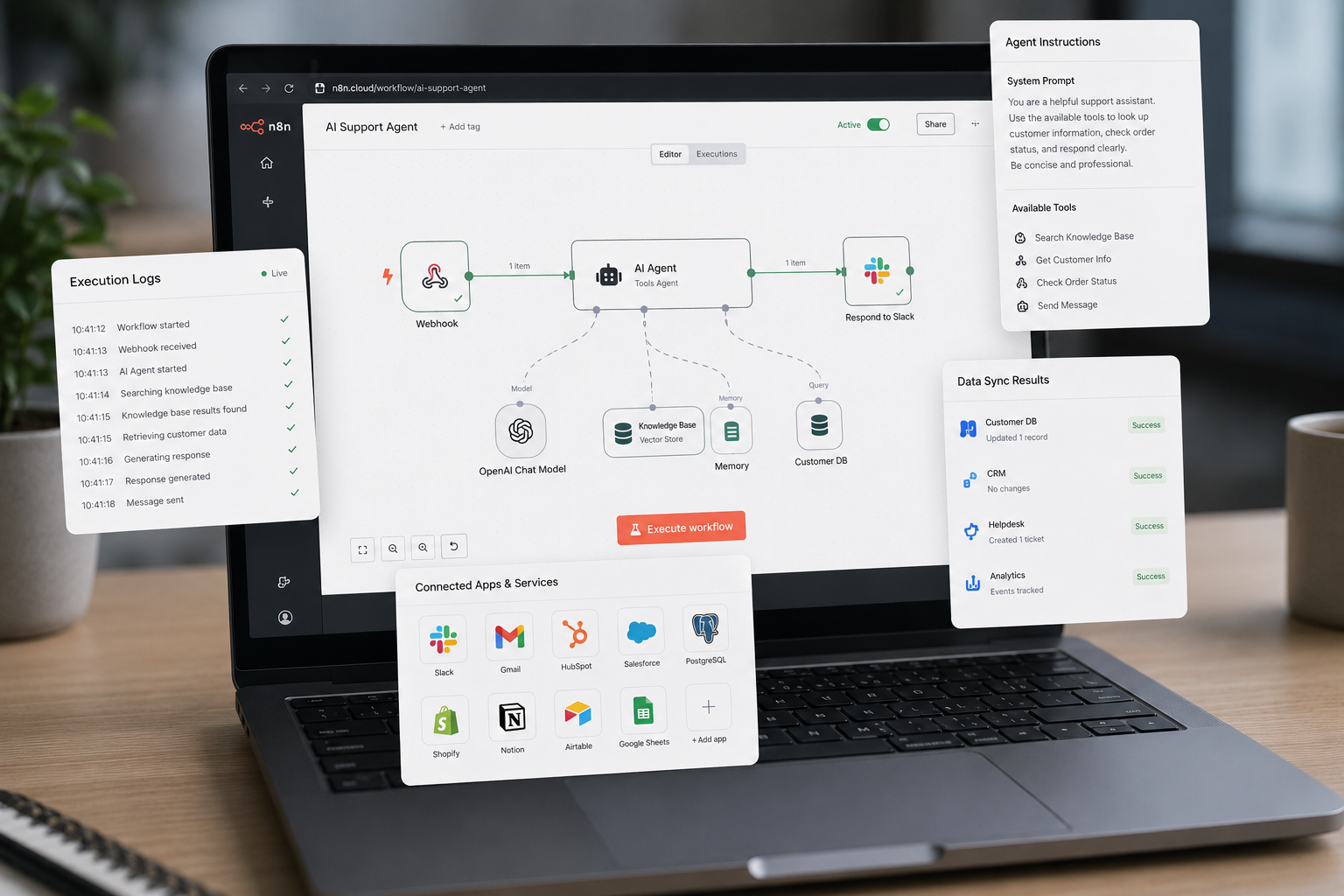
Orzaen designs, builds, and deploys intelligent automation systems using n8n, Make, and custom code. We connect your apps, embed AI agents that make decisions, and create workflows that run end-to-end without human intervention. From simple two-app syncs to complex multi-agent orchestration, we handle the architecture, integration, and ongoing management.
Our AI agents don't just move data, they understand it. Research agents compile competitive analysis. Data entry agents read documents and update your CRM. Decision agents route approvals, score leads, and prioritize tasks. Every agent is connected to your existing tools through robust integration layers so nothing operates in isolation.
Client Feedback
“Wonderful to work with, knowledgable and kind! Great work!”
Karah S. / CRM Operations Manager, MarketSurge User
Workflow Example
See automation in action
Interactive n8n-style workflow diagram showing a typical multi-step automation with branching logic.
Enterprise Lead Routing & Revenue Ops Workflow
This workflow receives inbound leads, checks required details, enriches company and stakeholder data, scores buying intent, routes each account to the right sales path, updates CRM, alerts the team, writes an audit log, and confirms the request.
Lead validation
Company + people data
AI scoring + routing
CRM + audit trail
Enterprise example for revenue intake, account enrichment, sales routing, CRM updates, team alerts, and audit logging.
AI Agent Types
Agents built for the work your team keeps doing manually
Each agent has a specific job, controlled behavior, and a clear handoff path. It can research, extract, classify, route, update tools, and prepare work before your team touches it.

Research Agent
Curious, source-aware, summary-focused
“I can run AI-powered market research, compare competitors, review sources, and prepare a concise brief for your team.”

Data Entry Agent
Accurate, structured, detail-focused
“I can read emails, PDFs, forms, and invoices, extract structured fields, validate them, and update your CRM or database.”

Decision Agent
Rule-based, evaluative, risk-aware
“I can evaluate requests against business rules, score risk, choose the right path, and route approvals with a clear audit trail.”

Orchestrator Agent
Coordinated, process-driven, action-ready
“I can coordinate n8n workflows, APIs, approvals, notifications, and AI agents until the full business process is complete.”

Communication Agent
Clear, timely, follow-up focused
“I can draft email replies, send Slack or Teams updates, follow up on missing responses, and keep every stakeholder informed.”

Document Agent
Careful, document-aware, compliance-minded
“I can process PDFs, summarize reports, extract clauses, review contracts, and flag documents that need human approval.”

Web Agent
Browser-capable, persistent, task-focused
“I can navigate web portals, fill forms, download files, check prices, scrape data, and log browser automation results.”
Analytics Agent
Metric-aware, alert-focused, insight-driven
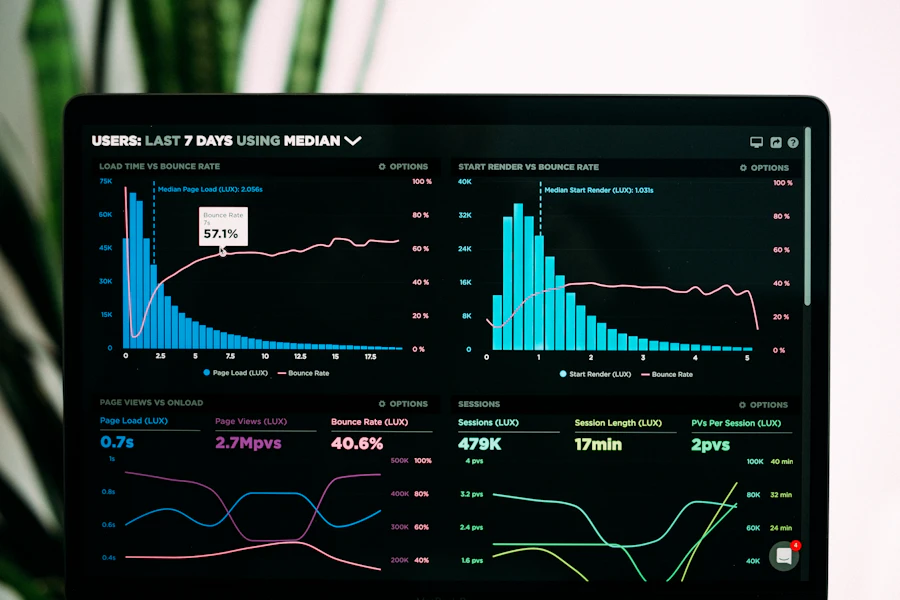
“I can monitor KPIs, detect anomalies, refresh dashboards, summarize changes, and alert your team before problems grow.”
Automation Barriers We Remove
The hidden gaps that keep your team doing software’s job
We turn disconnected tools, copy-paste work, approval delays, broken syncs, missing logs, and risky AI actions into controlled automation your team can trust.
Sales
Leads sit in the wrong tool.
Our Solution
Lead capture, scoring, enrichment, and CRM handoff happen automatically.
Operations
Teams copy data between apps.
Our Solution
Apps stay connected through controlled syncs and workflow rules.
Finance
Invoices and payments need manual updates.
Our Solution
Documents, payment events, and finance records move through one flow.
Support
Tickets need manual triage.
Our Solution
AI classifies, prioritizes, routes, and summarizes support requests.
Admin
Approvals disappear into messages.
Our Solution
Requests move through visible approval gates with alerts and logs.
Marketing
Campaign data is scattered.
Our Solution
Leads, events, campaigns, and reports are synced into one process.
Data Team
Reports are rebuilt by hand.
Our Solution
Data is extracted, cleaned, joined, and delivered on schedule.
Management
No one knows when automation fails.
Our Solution
Failures trigger logs, retries, alerts, and clear ownership.
Sales
Leads sit in the wrong tool.
Our Solution
Lead capture, scoring, enrichment, and CRM handoff happen automatically.
Operations
Teams copy data between apps.
Our Solution
Apps stay connected through controlled syncs and workflow rules.
Finance
Invoices and payments need manual updates.
Our Solution
Documents, payment events, and finance records move through one flow.
Support
Tickets need manual triage.
Our Solution
AI classifies, prioritizes, routes, and summarizes support requests.
Admin
Approvals disappear into messages.
Our Solution
Requests move through visible approval gates with alerts and logs.
Marketing
Campaign data is scattered.
Our Solution
Leads, events, campaigns, and reports are synced into one process.
Data Team
Reports are rebuilt by hand.
Our Solution
Data is extracted, cleaned, joined, and delivered on schedule.
Management
No one knows when automation fails.
Our Solution
Failures trigger logs, retries, alerts, and clear ownership.
Services
Automation and integration work we build around real operational pressure
AI Agent Development
Custom autonomous agents that research, decide, and act. Built with LangChain, function-calling, and your business rules. Each agent has access to tools (search, APIs, databases) and can execute multi-step reasoning workflows. We design the agent architecture, prompt engineering, tool integration, and feedback loops.
n8n Workflow Automation
Production-grade n8n workflows connecting your entire software stack. From simple two-step automations to complex conditional branching with error handling, webhook triggers, and scheduled execution. Self-hosted or cloud, with credential management and version control.
System Integration Architecture
Design and build the integration layer that connects your CRM, ERP, marketing tools, databases, and custom apps. We handle API authentication, data mapping, transformation logic, conflict resolution, and real-time sync between systems that were never designed to talk.
Data Pipeline Automation
Automated ETL/ELT pipelines that extract from multiple sources, transform with AI-powered enrichment, and load to your warehouse or operational database. Includes data quality checks, deduplication, and incremental sync.
Business Process Automation
End-to-end digitization of manual business processes. We map your current workflow, identify automation opportunities, and build the integrated system (AI agents + n8n + APIs) that runs it from start to finish with human approval gates where needed.
Use Cases
Where automation removes daily manual work
Automation Results
Proof from AI, workflow, and integration work that had to stay reliable
Tool Selection
We choose the automation tool that fits the workflow
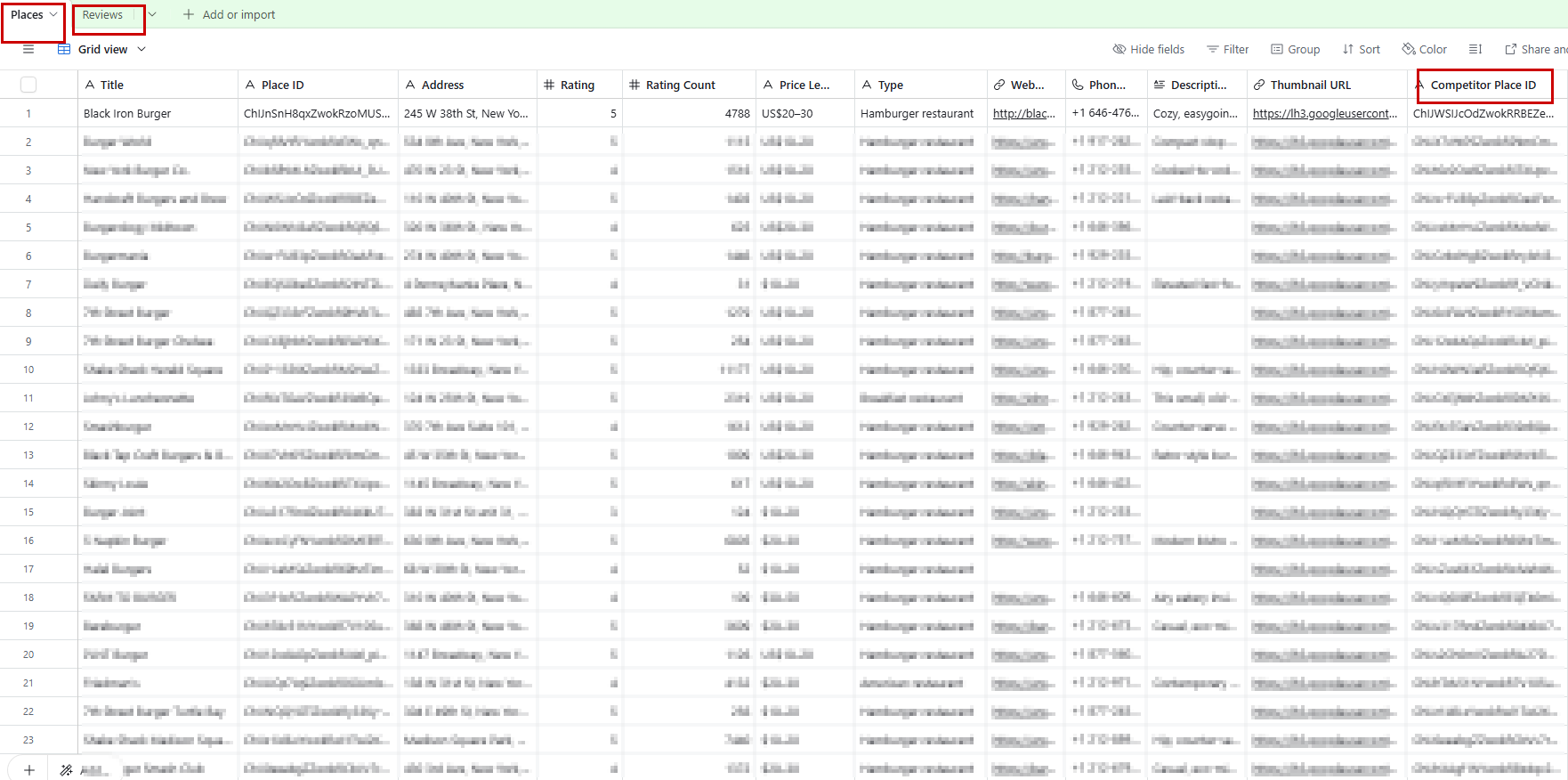
Some workflows need self-hosted control. Some need a fast visual builder. Some only need a simple trigger and action. We pick the tool based on reliability, maintenance, and how your team will use it after launch.

n8n
Best control
Complex logic, private workflows, self-hosted setups

Make
Visual builder
Clean visual automations and quick multi-app flows

Zapier
Quick automations
Simple app-to-app workflows and common triggers
Pabbly
Budget-friendly
Straightforward automations with predictable usage
Need something custom? We add small API bridges, webhook handlers, scripts, or database sync jobs only where the automation platform cannot handle the flow cleanly.
Integration Ecosystem
Connect the tools your team already depends on
Automations fail when tools are connected without ownership, validation, retries, or logs. We build the integration layer so webhooks, schedules, databases, CRMs, inboxes, sheets, and AI services work together with a visible handoff path.
One workflow hub between scattered business tools
Inputs arrive from forms, schedules, files, and internal systems. The automation layer validates, transforms, routes, and delivers the right data to the tools your team uses every day.
Inputs
Webhooks
Forms, apps, APIs
Scheduled Jobs
Cron, queues, syncs
Files & Docs
PDFs, CSVs, uploads
Internal Systems
Databases, portals
n8n
Automation
control layer
Connected Systems

CRM
HubSpot, GHL

Gmail, SendGrid

Slack / Teams
Alerts, approvals

Database
PostgreSQL, MySQL

Sheets
Google, Airtable
AI / LLM
OpenAI, Claude

Finance
Stripe, QuickBooks
If a system has an API, webhook, database, email notification, file export, or form submission, it can usually become part of a controlled automation flow.
Automation Stack
Built with tools for agents, workflows, APIs, data, and monitoring
We choose workflow builders, AI models, backend services, databases, queues, APIs, and monitoring tools based on how much control and reliability your process needs.
01
Workflow Builders
Visual automation tools used for fast workflow setup, branching logic, triggers, and human handoff.
n8nMakeZapier Webhooks
02
AI Agents & Models
AI services used for classification, summarization, research, extraction, routing, and decision support.
 Claude
 Mistral AI
 OpenRouter
 LangChain
 Gemini
03
Backend & APIs
Custom services for integrations that need stronger control, authentication, queues, or business logic.
 Python
 FastAPI
 Node.js
 Flask
Flask Laravel
04
Data & Storage
Databases, sheets, files, and storage systems used to hold workflow state, records, logs, and outputs.
PostgreSQL MongoDBGoogle Sheets
 Airtable
 S3
S305
Business Apps
CRMs, finance tools, commerce platforms, support systems, and communication tools connected into workflows.
HubSpot QuickBooksStripe
 ShopifySlack
06
Reliability & Monitoring
Controls used to keep automation visible, recoverable, and safe after deployment.
Delivery Workflow
How we move from manual work to controlled automation
We audit the process, map the tools, design the automation, connect systems, add AI where useful, build safety rules, and hand over a workflow your team can trust.
Audit the manual process
We review the tools, repeated steps, data movement, approvals, reports, and failure points.
Map the automation path
We define triggers, decisions, connected apps, data fields, handoff rules, and human review points.
Choose the right stack
We decide where to use n8n, Make, AI agents, APIs, custom code, databases, or queues.
Build and connect
We create workflows, API bridges, prompts, credentials, transformations, and app connections.
Add control and recovery
We add validation, retries, fallback paths, logs, alerts, and approval gates before launch.
Handoff and improve
We deliver documentation, monitoring notes, runbooks, and improvement ideas after real usage.
Controlled Workflow
Each step connects triggers, apps, APIs, credentials, AI decisions, rules, approval gates, retries, logs, alerts, and documentation into one controlled automation system.
FAQ
Questions clients ask before automating workflows
Still have questions? We typically respond within 2 hours.
Automation Field Notes
Lessons from building automation that runs in production
Request a Quote
Turn disconnected tools into a system that works without babysitting
Send your apps, current manual steps, reports, approvals, lead flow, data movement, and failure points. We’ll review where AI agents, n8n, APIs, or custom code can safely remove the work.
No perfect brief needed.
Project Brief